If you’re reading this, you’ve likely tried countless fixes for chronic pain, discomfort, or strain — only to find that nothing seems to stick. Fortunately, there are evidence‑based ergonomic strategies that go beyond generic advice to provide lasting relief. In this article, we’ll break down actionable ergonomics tips that have worked for patients who’ve tried everything, how they tie into overall musculoskeletal health, and when professional guidance — including chiropractic care — can make the difference.
What Is Ergonomics and Why Does It Matter?
Ergonomics is the science of designing environments, tools, and tasks to fit the person performing them, minimizing strain and maximizing comfort. At its core, ergonomics looks at how the body interacts with the environment — from a desk setup to daily movement patterns — in order to prevent musculoskeletal stress and injuries.
When ergonomics is overlooked, subtle but repeated stresses — like poor posture or awkward positioning — can lead to conditions such as neck pain, back pain, headaches, and carpal tunnel syndrome. Comprehensive ergonomics isn’t just about comfort; it’s about protecting your body over the long term.
Ergonomic Considerations Beyond the Desk: Sleep and Mattress Choices
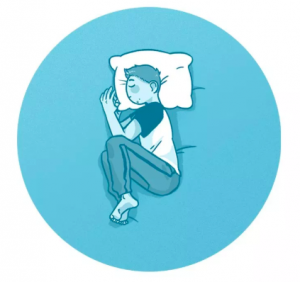
Sleep is a critical part of musculoskeletal health. Poor sleep surfaces or mattresses that don’t support your body correctly can undo even the best daytime ergonomic practices. The 2021 study by Caggiari et al. provides practical insights on how mattress features can improve both sleep quality and back health:
- Firmness: Medium-firm mattresses have been shown to improve sleep quality and reduce the risk of developing back pain. Extremely soft or very firm beds may not provide adequate support for spinal alignment.
- Alignment: Beds with active control systems — those that adjust support dynamically — help maintain spinal alignment throughout the night, enhancing comfort and restorative sleep.
- Temperature: High heat capacity mattresses reduce temperature fluctuations, which increases slow-wave sleep and improves sleep continuity.
Practical takeaway for patients:
- Individuals with a naturally deeper hollow in the lower back or more tissue around the hips and buttocks may not fare well on futons or very firm surfaces. For them, a medium-firm mattress with a 3–4 inch pillow topper can help fill the gap and support proper lumbar alignment.
- Those sensitive to temperature changes should consider high heat capacity materials to maintain sleep quality and prevent night-time discomfort.
Common Ergonomic Hazards Patients Face
- Extended periods of sitting with inadequate support
- Poor monitor or keyboard placement
- Static postures that strain the neck or back
- Repetitive movements that aggravate joints
These hazards may seem small on their own, but over time they contribute to ongoing pain that many patients describe as “I’ve tried everything, and nothing works.” Better ergonomics addresses these root causes directly.
Ergonomics Solutions That Actually Work
Below are practical ergonomic strategies that have helped patients finally achieve relief:
1. Optimize Your Workstation Setup
A thoughtful workspace setup is foundational to effective ergonomics. If your chair, desk, or monitor isn’t positioned to support neutral posture, your muscles and joints are constantly compensating, leading to strain.
- Adjust chair height so feet are flat and knees are at a 90° angle.
- Place your monitor at eye level to reduce neck bending.
- Keep wrists straight and arms relaxed when typing.
These adjustments help maintain neutral spine alignment, vital for patients dealing with persistent pain.
2. Use Movement and Breaks Strategically
Even with the best ergonomic setup, staying in one position can cause stiffness and pain. Changing posture throughout the day — including standing, stretching, and taking short walks — reduces physical stress on muscles and joints.
This is especially crucial for patients who spend long hours at a desk or computer and feel their discomfort worsening over time.
3. The Standing Desk Myth
Post-COVID, standing desks became extremely popular as a “solution” to sitting-related pain. However, standing alone isn’t the answer — prolonged standing can also cause back, hip, and leg discomfort. Evidence and practical experience suggest:
- The ideal approach is alternating between sitting and standing, often referred to as a 1:1 ratio. Some patients do best with 20 minutes standing and 40 minutes sitting, depending on their body and comfort.
- When standing, engage your core and keep feet shoulder-width apart. Avoid locking knees or leaning excessively on one leg.
- When sitting, move slightly forward in the chair so your hips are positioned deeper than your knees. This reduces tension on the hamstrings and supports a natural lumbar curve.
- Consider using a seat wedge or lumbar cushion to help maintain proper alignment while seated.
Alternating postures and using supportive seating ensures you’re not trading one set of problems for another.
4. Support Your Body With Proper Tools
Investing in ergonomic tools like lumbar‑support chairs, adjustable desks, or footrests can make a noticeable difference. Ergonomics isn’t one‑size‑fits‑all; your tools should support your specific body dimensions and tasks.
For some patients, even small adjustments — like a footrest for shorter individuals or an adjustable monitor arm — can significantly reduce strain and discomfort.
5. Lift Properly to Protect Your Spine
Many patients underestimate the load placed on their spine during everyday lifting. Key facts from biomechanics research highlight how quickly forces multiply:
- About 60% of the weight you lift is above the hips. Leaning forward and pulling or lifting causes the muscles in the back to compress the spine with forces up to 4–4.4 times your body weight.
- Lifting a child can generate forces up to 7 times your body weight on the spine.
- Spinal discs are most hydrated and vulnerable during the first 2 hours after waking, so avoid heavy lifting during this window.
- End-range flexion (bending forward deeply) places the greatest strain on the spine. Avoid lifting heavy loads in this position whenever possible.
Practical lifting tips:
- Bring objects (or a child) close to your body before lifting to reduce lever forces on your spine.
- Bend at the hips and knees, keeping your back straight, and lift with your legs rather than your lower back.
- Use a wide stance for stability and engage your core muscles throughout the lift.
- For repetitive lifting, take breaks and use assistive tools when available.
How Chiropractic Care Works With Ergonomics
Ergonomics and chiropractic care are natural partners when it comes to lasting relief. While ergonomic adjustments reduce repetitive strain and poor posture, chiropractic care can:
- Correct spinal alignment
- Improve mobility and function
- Address underlying musculoskeletal issues that persist despite ergonomic changes
Combining thoughtful ergonomics with personalized chiropractic treatment can offer long‑term benefits that neither approach achieves alone. This holistic strategy aligns daily movement patterns with professional care to optimize your body’s function and reduce recurring symptoms.
If you want to see how this partnership works for you, schedule a consultation with a skilled chiropractor who understands ergonomics as part of a comprehensive musculoskeletal health plan, like the team at Custom Chiropractor, who provide tailored treatment and guidance to support your unique needs.
Ergonomics Tips for Common Pain Points
Neck and Shoulder Pain
Often caused by forward head posture or screens positioned too low, this type of discomfort responds well to:
- Raising screens to eye level
- Performing shoulder rolls and neck stretches periodically
- Keeping shoulders relaxed rather than elevated
These small changes can have a big impact on posture and reduce muscle tension.
Lower Back Pain
Many patients with back pain benefit from supportive seating that maintains lumbar curvature and frequent posture shifts. Incorporating core‑strengthening exercises alongside ergonomic changes increases spine support and overall stability.
Wrist and Hand Strain
Proper keyboard and mouse placement, paired with wrist supports when typing, reduces strain on tendons and nerves. Frequent breaks to stretch the fingers and wrists can prevent repetitive stress injuries.
When Ergonomics Alone Isn’t Enough
If you’ve implemented ergonomic changes and still feel persistent pain, it may be time for professional evaluation. Pain that lasts more than a few weeks, or discomfort that interferes with daily activities, warrants expert assessment. A tailored chiropractic plan — like those offered at Custom Chiropractor Ergonomics and Wellness Program — can help pinpoint underlying causes that simple ergonomic tweaks can’t address alone.
Takeaway: Ergonomics That Works for You
For patients who’ve tried everything, sustainable comfort comes from a combination of thoughtful ergonomic changes and professional guidance. By optimizing your environment, incorporating movement, addressing your body’s mechanical needs with chiropractic support, selecting the right mattress for sleep, using standing desks correctly, and lifting safely, you can finally find relief that lasts. Don’t give up — the right ergonomics strategy can transform not just your workspace, but your wellbeing.
Ready to take the next step? Explore expert care and ergonomic strategies at Custom Chiropractor’s resources to support your journey to lasting pain relief.